Brand New Port ReleaseTested on PS4 FW 13.52 (GoldHEN)60 FPS NativeDualShock 4 Haptics
△ ○ ✕ □PlayStation 4 Homebrew

BombSquad for PlayStation 4

The explosive 8-player party mayhem game has been officially ported to the PlayStation 4! Built for jailbroken consoles running GoldHEN, featuring rock-solid 60 FPS performance, vibrant 1080p visuals, and native DualShock 4 rumble / haptics feedback.

Homebrew release for jailbroken PS4 consoles. Not an official PlayStation Store product.

Download Note: Direct .pkg file mirror links will be attached to this page shortly. In the meantime, downloads, source code, and release packages are hosted on GitHub repository imayushsaini/bs4ps.

PS4
HOMEBREW
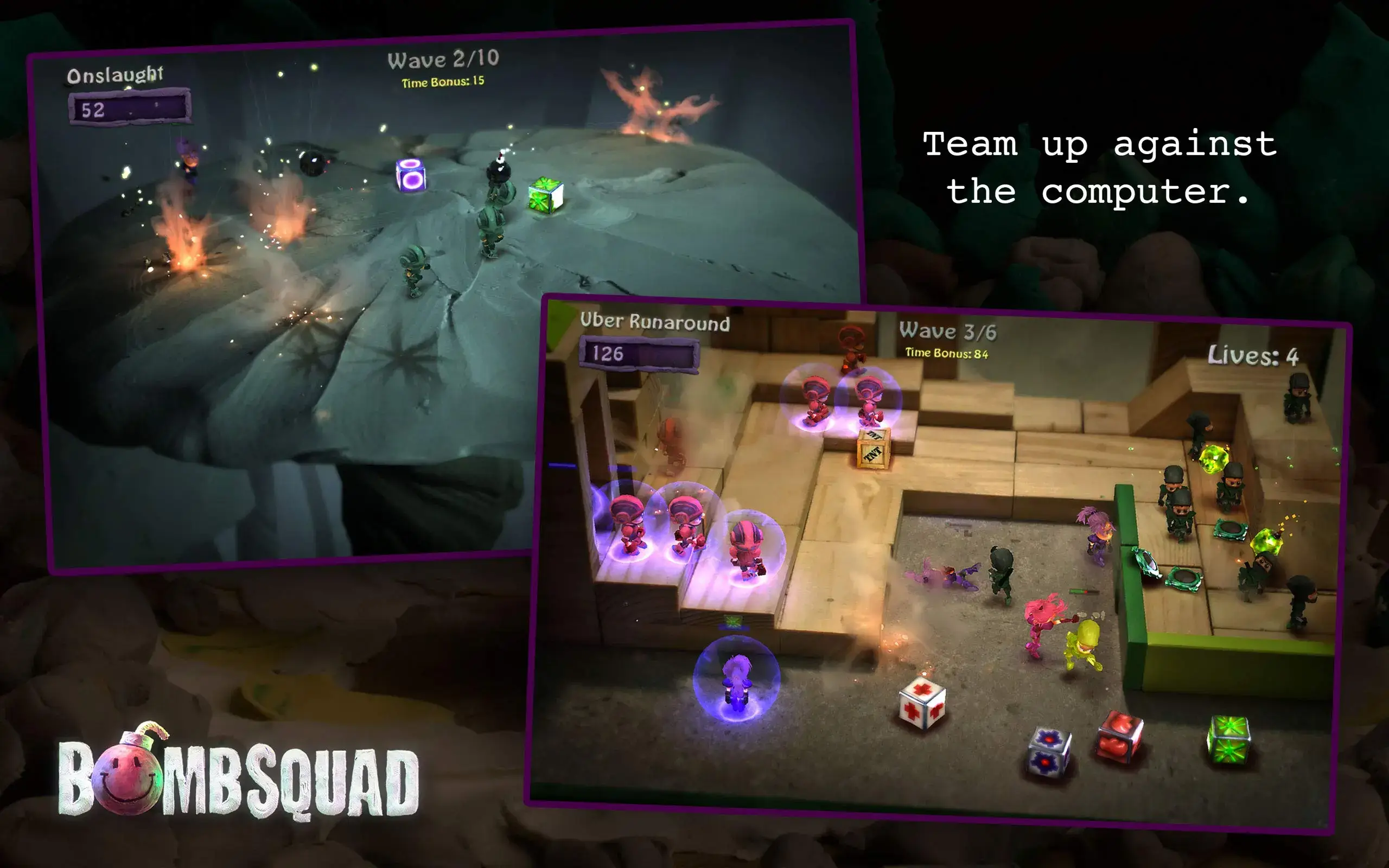
BombSquad PS4 Gameplay Preview
Haptics Active
Target Framerate60 FPS Smooth
Firmware SupportPS4 13.52 & GoldHEN
ControllerDualShock 4 + Vibration
MultiplayerUp to 8 Players Local

Technical Overview & Hardware Capabilities

Everything you need to know about the BombSquad PlayStation 4 homebrew port implementation and hardware testing.

Target PlatformPlayStation 4 (PS4 / PS4 Slim / PS4 Pro)
Firmware TestedPS4 FW 13.52 (Compatible with 5.05 - 13.52+)
EnvironmentGoldHEN Homebrew Enabler
Target FramerateRock-Solid 60 FPS
Resolution1080p Full HD (60Hz)
Controller SupportDualShock 4 with Working Haptics / Rumble
MultiplayerLocal 1-8 Players (Shared Screen Couch Party)
Package TypeUnofficial FPKG / OpenOrbis Homebrew

Watch BombSquad Running on PlayStation 4

Captured directly from a jailbroken PlayStation 4 on Firmware 13.52 with GoldHEN. See the rock-solid 60 FPS performance, fast loading, fluid animations, and responsive DualShock 4 controls in action!

IMPORTANT PREREQUISITE

Required Devkit System Libraries (SPRX)

Like other OpenGL ES / Piglet-based PlayStation 4 homebrew ports (such as Sonic, Super Mario 64, or emulator frontends), BombSquad relies on the Sony devkit GLES runtime and shader compiler libraries to execute hardware graphics. Because retail PS4 firmwares do not expose these modules, you must place the two 4.74 Devkit system files on your console before launching the game. Without them, the game will crash on boot (error CE-34878-0 or black screen).

Destination Directory on PS4 HDD:
/data/self/common/lib/

(If the common or lib folders do not exist under /data/self/, create them manually via FTP).

libScePigletv2VSH.sprx

Source: Firmware 4.74 Devkit

PlayStation GLES 2.0 / Piglet graphics runtime library required for hardware rendering.

Install Location:/data/self/common/lib/libScePigletv2VSH.sprx

libSceShaccVSH.sprx

Source: Firmware 4.74 Devkit

PlayStation Shader Compiler runtime required to compile and link shader pipelines.

Install Location:/data/self/common/lib/libSceShaccVSH.sprx
How to Install BombSquad on Your PS4

Follow these clear instructions to configure system prerequisites and install the package on your jailbroken console.

1
Prerequisites & File Transfer

Upload Devkit SPRX Files via FTP

Turn on your PlayStation 4 and activate GoldHEN. Ensure the GoldHEN built-in FTP server is enabled (usually on port 2121 or 1337).

  1. Open an FTP client on your PC (such as FileZilla, WinSCP, or Cyberduck).
  2. Connect to your PS4's local IP address (find this in PS4 Settings → Network → View Connection Status).
  3. Navigate to /data/self/ on the PS4. If the common and lib subdirectories do not exist, right-click and create directory:
    /data/self/common/lib/
  4. Upload both libScePigletv2VSH.sprx and libSceShaccVSH.sprx (extracted from 4.74 Devkit) into that folder.
2
Package Transfer

Obtain the BombSquad PS4 PKG

Download the BombSquad homebrew package (BombSquad.pkg / bs4ps.pkg) from the official GitHub repository releases.

You can also send the .pkg directly over your home network without plugging in a USB drive:

  • Connect via FTP to your PS4 and browse to /data/pkg/.
  • Transfer BombSquad.pkg into the /data/pkg/ directory.
  • Alternatively, use the Remote PKG Installer PC application to send the package directly to your console.
3
Console Installation

Install Package via GoldHEN

Now on your PS4 console:

  1. Open Settings from the PS4 top menu.
  2. Select GoldHEN → Package Installer.
  3. Locate BombSquad in the package list and press ✗ (Cross) to install.
  4. Wait for the notification popup confirming "BombSquad has been installed".
4
Ready to Play

Launch & Enjoy 60 FPS Couch Mayhem!

Navigate to the PS4 Home Screen / Dashboard, select the BombSquad game tile, and press Cross to boot. You will immediately experience fluid 60 FPS graphics, responsive gameplay, and native DualShock 4 haptic vibration feedback.

PlayStation 4 Controller Mapping & Haptics

Designed specifically for the DualShock 4 wireless controller with integrated vibration feedback.

DualShock 4 Rumble Motors Active
Connect up to 8 Controllers
Customizable in In-Game Settings
✗
Cross (X)Jump / Select Menu
□
SquarePunch / Attack Opponents
○
CircleThrow Bomb / Ignited Weapon
△
TrianglePick Up Item / Throw Player
L2 / R2
Triggers (L2 / R2)Run / Sprint Modifier
L1 / R1
Bumpers (L1 / R1)Quick Bomb / Run
L-Stick / D-Pad
Left Stick / D-PadCharacter Movement & Aim
OPTIONS
Options ButtonPause Game / Options Menu
Engineered for DualShock 4 Haptic Immersion:

When an explosion detonates nearby, a punch lands on an opponent, or you are launched across the arena by a TNT crate, the DualShock 4 vibration motors trigger realistic low and high-frequency rumble patterns for maximum party intensity.

Frequently Asked Questions

Common questions, troubleshooting steps, and installation verification tips.

This almost always indicates that the two devkit SPRX files (libScePigletv2VSH.sprx and libSceShaccVSH.sprx) are missing or in the wrong folder. PS4 retail firmware does not bundle user-accessible OpenGL ES 2 / Piglet libraries. You MUST place both files into "/data/self/common/lib/" using FTP or a PS4 file manager (e.g., PS4-Explorer or Apollo Save Tool).

Open Source Homebrew Project

Ready to Explode into Battle on PS4?

Visit the GitHub repository for the latest source code, releases, bug reports, and discussion. Join our Discord community with over 6,000 players!

Legal & Homebrew Disclaimer

BombSquad is created and copyrighted by Eric Froemling. The PlayStation 4 port (bs4ps) is an unofficial community homebrew project developed by Ayush Saini. This project is not endorsed by, sponsored by, or affiliated with Sony Interactive Entertainment, PlayStation, or any of their subsidiaries. This software is provided for personal, non-commercial homebrew research and entertainment on legally owned, modified hardware. No copyrighted proprietary Sony Devkit software or firmware binaries are distributed on this site.